MODCAR.ai

Tesla Wrap Generator

Loading template…

Your inspiration, on your Tesla

AI car wrap generator for Tesla Paint Shop

Design a custom Tesla wrap directly on the official Paint Shop template. Paint the body or single panels, add your photos, text, shapes, patterns and brush strokes, or let AI design the whole car from a prompt or reference image. Every change appears live on a 3D model of your Tesla, and the download is a PNG ready for Paint Shop.

How it works

Create a Tesla wrap in three steps

Pick your car, design on the official template, and take your wrap from the browser to Paint Shop.

  1. CybertruckCybertruckModel 3Model 3Model YModel YCybertruckModel 3 (2024+) PerformanceModel Y (2025+) PremiumPaint Shop template3D preview

    Choose your Tesla

    Pick the model and variant that match your car. You design on its official Paint Shop template, and the 3D model beside it shows the very same design.

  2. HoodRefine

    Design panel by panel

    Paint the body or single panels, try a two-tone scheme, and add images, text, shapes, patterns and brush strokes. Focus a panel to edit it on its own, or let AI generate or refine the design.

  3. my_wrap.png1024 × 10240.8 MB ≤ 1 MBUSB driveTesla appPaint ShopWrapsSaved in this browser

    Download your Paint Shop PNG

    Export a PNG at the template’s native size and under 1 MB, then add it to Paint Shop with a USB drive or the Tesla app. Your design is also saved in this browser for next time.

Design, preview, make it yours

One idea. Your own Tesla wrap design.

From the first coat of paint to the final PNG, with your car in 3D beside you the whole time.

01

Made for your model

Design on the official Tesla wrap template

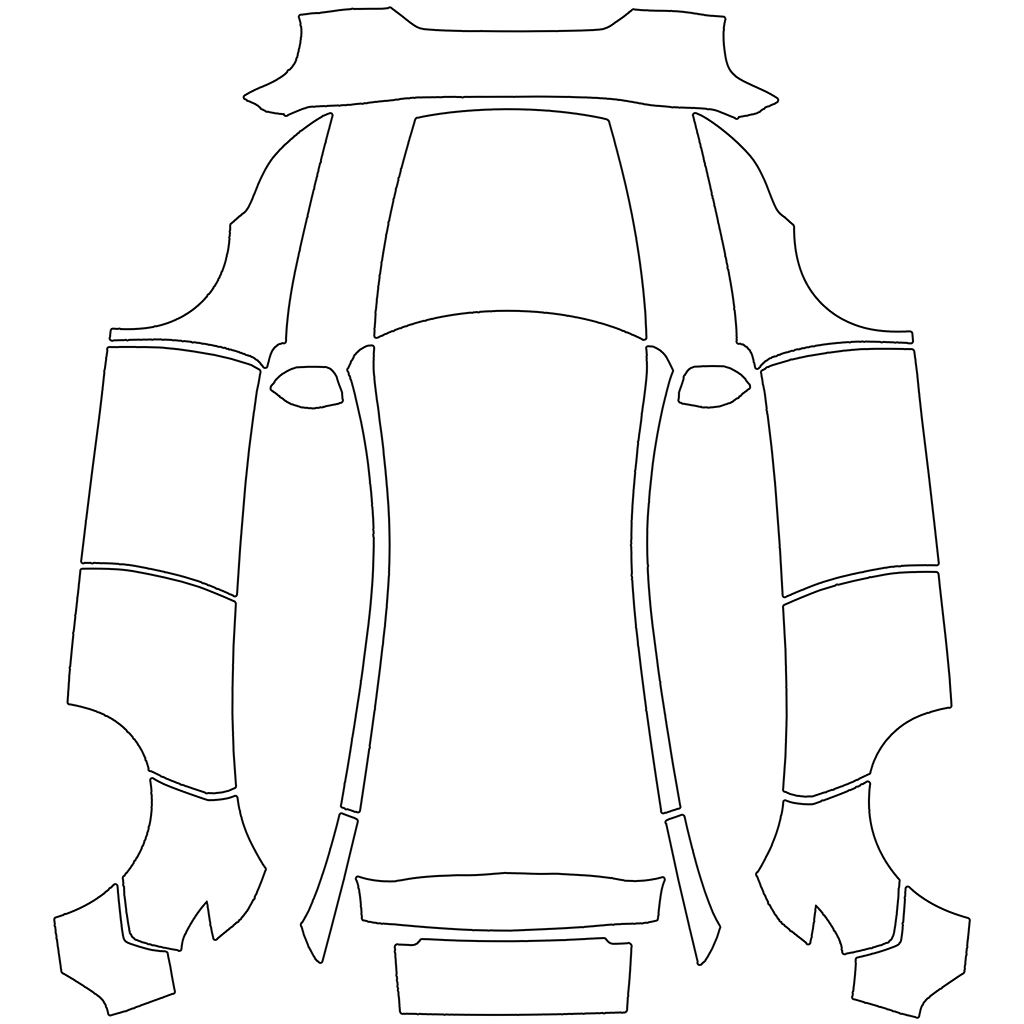
A Cybertruck has a different wrap layout from a Model 3 or Model Y. The studio loads the official template for the variant you choose, splits it into its panels and names them from the 3D model: hood, roof, doors, fenders, bumpers and more.

  • Cybertruck and selected Model 3 and Model Y variants
  • Focus a panel to edit it on its own, shown the way it sits on the car
  • Artwork added to a focused panel stays inside its edges
CybertruckModel 3Model YModel Y (2025+) Premium · 21 panelsFront bumperHoodFenderFront doorRoofRear doorRear quarterRear bumperRight front door
02

A real design editor

Paint, layers, text, shapes and patterns

Pick a factory-style body color, give single panels their own paint, or apply a two-tone scheme such as a contrasting roof. Then build your design in layers: photos and artwork, text in racing fonts, shapes and stripes, pattern fills and freehand brush strokes.

  • Move, resize, rotate, crop, flip, lock and reorder up to 24 layers
  • Smart guides, rotation snapping and mirroring to the other side of the car
  • Undo and redo, with your design saved automatically in this browser
SavedBody paintLayers5 / 24T07Brush strokeTwin stripesPatternPhoto070715°Mirror to other side
03

AI when you want it

Generate or refine your Tesla wrap with AI

Describe a look, ask for ideas with Help me brainstorm, or add a reference photo, and AI designs the whole car on the template. Already started? Refine completes the panels you have not designed yet, or harmonizes the car around one panel you like.

  • AI results arrive as layers you can keep editing
  • The credit cost is shown before each run; failed runs are refunded
  • Your AI designs are kept in your history
GenerateRefineDesert dusk, bolddiagonal stripesReference imageHelp me brainstormGenerate · 10 creditsWorking…Layers0 / 241 / 24AI design
04

See every angle

Watch your wrap on a live 3D Tesla

The 3D model uses the design you are editing, so every change shows up instantly. Orbit and zoom, compare four angles at once, let the car spin, or click a panel on the car to jump straight to it.

  • Front, rear, side, top and three-quarter camera views
  • Select layers, move them and paint with the brush directly on the car
  • Save an image of the 3D preview to share
3D previewLiveSpinFrontLeft sideRearTopHood
05

From browser to car screen

Download a PNG for Tesla Paint Shop

Give the digital vehicle in Paint Shop a look of its own. Download your wrap, transfer it through the Tesla app or a USB drive, then select it in your vehicle’s Paint Shop. Already have a wrap PNG? Import it from the Download menu and keep designing.

  • PNG export with a file size of up to 1 MB
  • 1024 × 768 for Cybertruck; 1024 × 1024 for other supported models
  • A digital design for your Tesla’s vehicle visualization
Toybox›Paint Shop›Wrapsracing-stripe.pnggraphite-pinstripe.pngspeed-lines.pngUSB drive · Tesla appDownload PNGImport PNGFormatPNG · ≤ 1 MBModel 3 / Y1024 × 1024Cybertruck1024 × 768

Find your starting point

Fresh inspiration for custom Tesla wraps

Your reference sets the direction. Here are four ways to start your next Tesla Paint Shop design.

Nature-inspired palettes

Bring the warm colors of a desert, the blues of the coast, or the contrast of a mountain landscape into your next design.
Bold graphic patterns

Start from geometric artwork, abstract shapes, or a repeating print. Use your notes to steer the colors and visual rhythm.

Textures with character

Use marble, brushed metal, woven fabric, or another texture as a reference for a different look on your digital car.

Your own original artwork

Give an illustration or personal project a new canvas. Explore how its palette and motifs translate onto your Tesla.

Tesla wrap generator FAQ

Templates, editing, AI credits, and Paint Shop downloads.

A custom wrap for the digital vehicle shown in Tesla Paint Shop. You design on the official template for your model with paint, images, text, shapes, patterns, brush strokes and optional AI artwork, and see every change on a 3D model. The download is a digital PNG; it is not a full-size vinyl cutting or printing file.

Choose the model and variant that match your vehicle. Cybertruck, Model 3, and Model Y use different wrap layouts, and newer trims can differ too. The selector lists the vehicles currently available with a matching 3D preview. If you switch vehicles, your layers keep their relative positions, but panel colors and panel clipping reset because every template has its own panels.

Generate designs the whole car from a description, a reference image (JPEG, PNG, or WebP up to 5 MB), or both; Help me brainstorm suggests ideas to start from. Refine works on the design you are editing: it can complete the panels you have not designed yet, or restyle the car to match one panel you focus. Results are added as layers you can edit, hide, or delete. AI interprets your input, so exact copies and perfectly spelled lettering are not guaranteed. Check every side of the car before downloading.

The design studio is free: paint, layers, text, shapes, patterns, the brush, the 3D preview, and PNG export use no credits. AI Generate and Refine use Nano Banana 2 Lite and show the credit cost before you start. Failed runs are refunded.

Every image, text, shape, pattern, and drawing is its own layer. Move, resize, rotate, crop, flip, mirror to the other side, change opacity, lock, hide, and reorder up to 24 layers, with undo and redo. Images can be JPEG, PNG, or WebP up to 20 MB. Your design is saved automatically in this browser and restored on your next visit. Local images stay on your device; reference images and designs you refine with AI are uploaded for generation.

In Tesla app version 4.59.0 or later, open Creations → Wrap → Upload. You can also put the PNG inside a folder named Wraps at the root of a compatible USB drive. On your vehicle, open Toybox → Paint Shop → Wraps to apply the design. Feature availability depends on your vehicle and software.

Tesla requires a PNG no larger than 1 MB, with a filename of up to 30 characters using letters, numbers, spaces, underscores, or dashes. We export at the selected template’s native size: 1024 × 768 for Cybertruck and 1024 × 1024 for the other supported templates, and name the file after your design. Keep the downloaded file as a PNG.

Yes. Select the matching Tesla model, then choose Import Paint Shop PNG in the Download menu. The PNG must have the template’s exact size. It becomes a locked layer that you can preview in 3D and design on top of. The file stays in your browser and uses no credits.

What will your Tesla wear next?

Choose your model, pick a color or bring a photo you love, and start designing your own Tesla Paint Shop wrap.